Binding Machine Troubleshooting: Common Problems, Root Causes And Safe Fixes
Leave a message
Binding machine problems are often diagnosed too late. An operator sees torn holes, a coil that refuses to feed, or a Wire-O spine that closes unevenly and assumes the machine itself is failing. In production, the cause may be simpler: too much material in one punch cycle, a mismatched pitch, an incorrect binding diameter, poor stack alignment, worn tooling, or a setup that no longer matches the job.
The fastest way to troubleshoot is to start with the symptom, identify which stage created it, and then change one variable at a time. This guide focuses on punching, spiral coil and Wire-O workflows-the areas most relevant to the binding machines, paper punching equipment and binding supplies used in notebook, calendar and document production.
Start With Safety Before You Clear a Jam
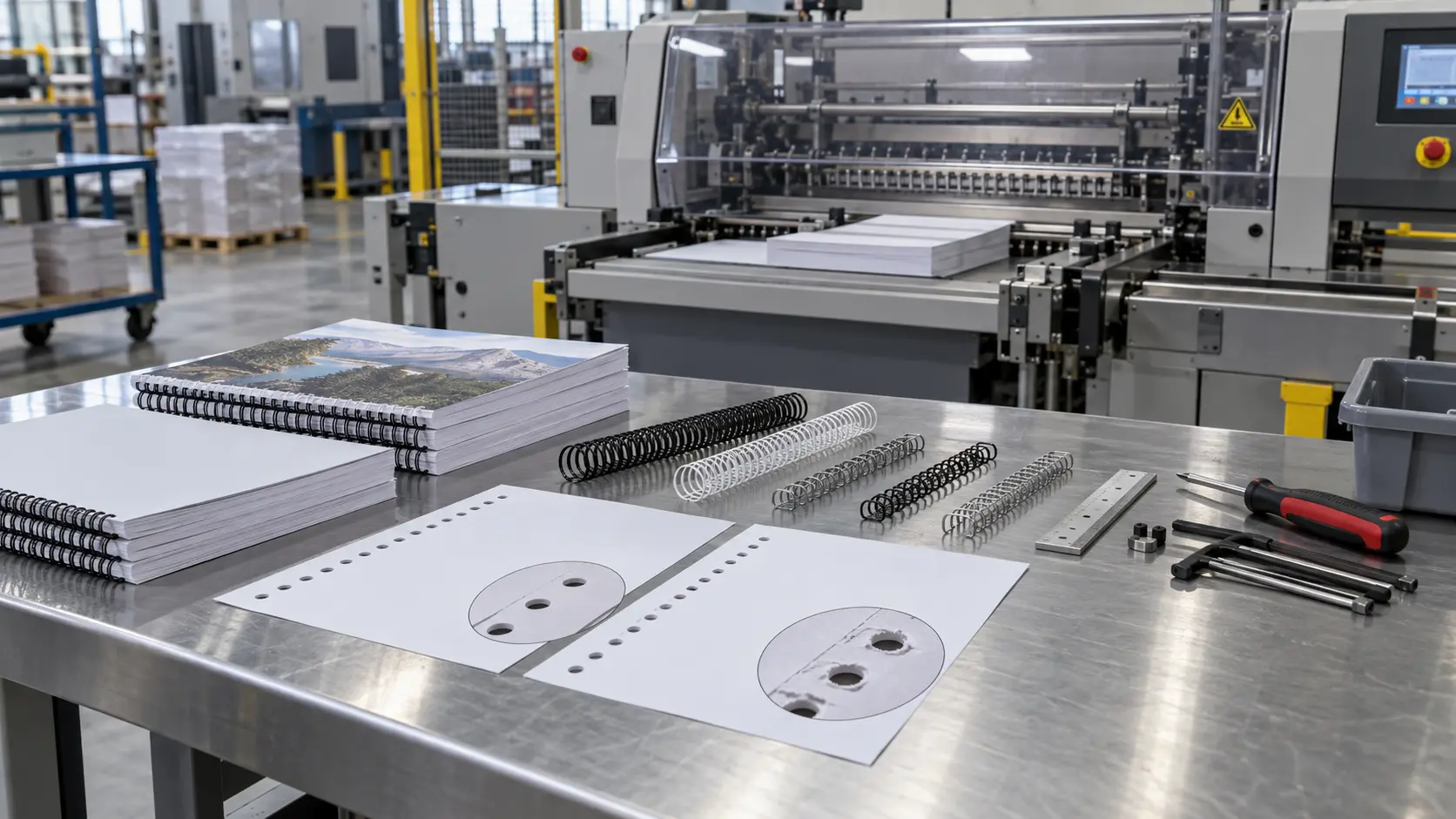
Do not force a jammed punch lever, reach into a powered mechanism, bypass a guard or attempt internal service while equipment can start unexpectedly. Follow the machine manual and your workplace energy-control procedure before clearing a serious jam or carrying out maintenance. In the United States, OSHA's control of hazardous energy standard covers servicing and maintenance where unexpected startup or stored energy can injure workers.
Operator-level troubleshooting should stay within tasks the machine manufacturer allows: checking the job setup, cleaning accessible paper waste, inspecting the output and confirming compatible supplies. Internal electrical, hydraulic, guarded drive or die repairs belong with trained service personnel.
Quick Diagnosis: Match the Symptom to the Production Stage
| Symptom | Likely Stage | First Checks |
|---|---|---|
| Incomplete or torn holes | Punching | Stack thickness, paper/cover hardness, waste buildup, punch tooling condition |
| Hole pattern shifts across the stack | Jogging / paper guide / punching | Stack squareness, side guide, paper movement during the stroke |
| Coil catches or will not thread smoothly | Punching / coil insertion | Pitch match, hole alignment, coil diameter, punched-edge damage |
| Pages are difficult to turn | Binding specification | Book-block thickness, binding diameter, edge distance, cover clearance |
| Wire-O closes unevenly | Wire loading / closing | Wire size, closing setting, spine seating, closer alignment |
| Covers crack or miss holes | Cover preparation / punching | Cover thickness, lamination, stack size, punch capability |
Problem 1: The Punch Jams or Does Not Complete the Hole
A punch jam is often a load problem before it is a machine problem. Rated capacity is normally based on a particular paper type and operating condition; heavier covers, laminated sheets and dense stocks can require more punching force than ordinary text paper.
What to check
- Reduce the number of sheets and test again.
- Punch rigid covers separately from the interior book block.
- Empty the accessible paper-waste or chad tray.
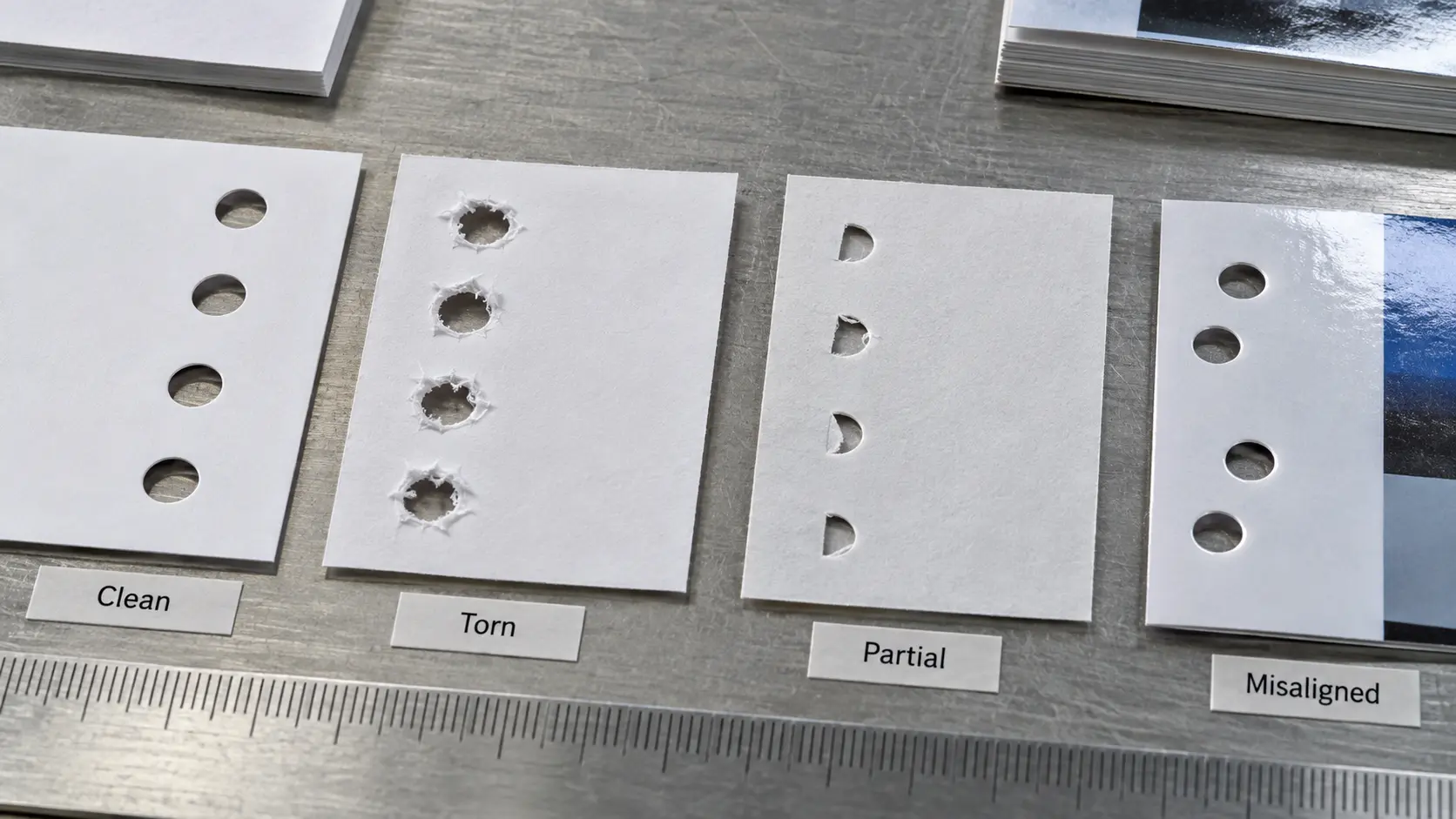
- Inspect the punched edge. A torn or crescent-shaped hole can indicate poor cutting action or a stack that moved during punching.
- Compare the job with the machine's approved material and capacity specification.
If the punch still stalls on a small, normal stack, stop treating the problem as operator overload. Tooling wear, a bent pin, drive resistance or another mechanical condition may need inspection. For a deeper look at punch quality, see YPS's guide on spiral binding without tearing punched holes.
Problem 2: The Holes Are Clean but They Are in the Wrong Position
Consistent holes that sit too close to the edge, too far from it, or off-center usually point to setup rather than tool sharpness. Check the side guide, depth or margin setting, paper stop and whether the stack is fully seated before each stroke.
Do not correct one bad batch by changing the binding element first. The punched pattern defines how the page block hangs from the spine. If the hole position is wrong, even the correct coil or wire can produce poor page turning, edge tear-out or an unbalanced appearance.
Problem 3: The Coil Will Not Feed Through the Book
When a spiral coil catches after a few holes, diagnose the punched book block before increasing insertion force.
Check these four relationships
- Pitch: the coil must match the hole pattern produced by the punch.
- Alignment: all signatures, covers and inserts must share the same hole line.
- Diameter: the coil needs enough clearance around the finished book block.
- Hole quality: torn, partially punched or distorted holes increase insertion resistance.
YPS explains the interaction between pitch and diameter in its spiral binding coil size guide. If the job uses plastic coil, the plastic spiral coil range also shows the material category that must be matched to the project and equipment.
Problem 4: Pages Turn Poorly After Binding
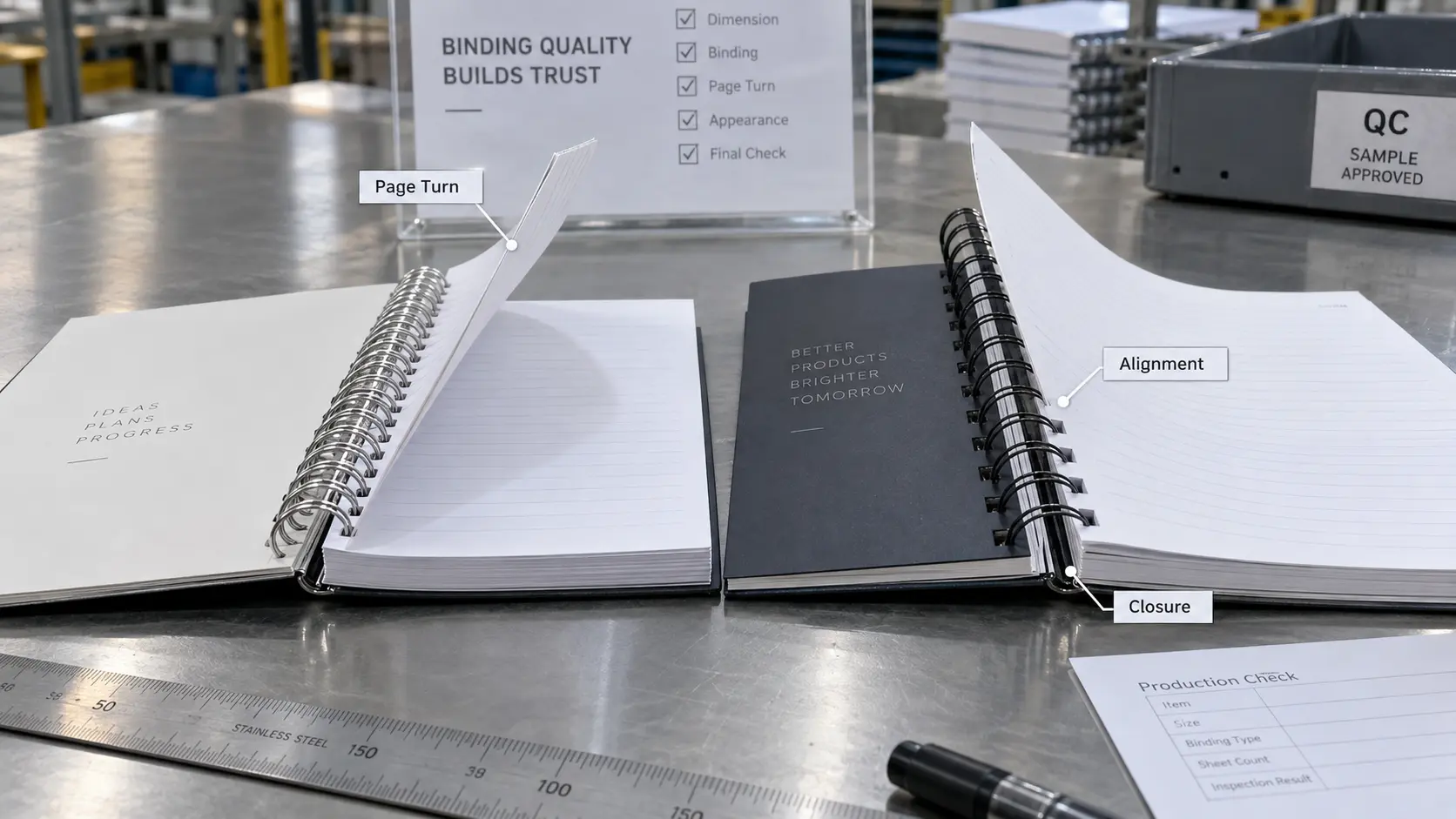
Poor page turning is frequently a specification problem disguised as an equipment problem. A machine can punch and insert correctly while the finished book still feels tight.
Measure or compare the actual compressed page block, including covers, dividers and inserts. If the binding diameter is too small, the pages have insufficient clearance. If the punched edge is too close to the spine, heavy covers may also interfere with movement.
For production teams that alternate between coil and Wire-O, the comparison in Wire-O vs. plastic coil binding helps separate issues caused by the binding system from issues caused by setup.
Problem 5: Wire-O Will Not Close Evenly
Uneven Wire-O closing can show up as a spine that is tighter at one end, a gap that varies along the document, or loops that distort instead of forming a consistent closed profile.
Before adjusting the closer, confirm:
- the wire size matches the book-block thickness;
- the pitch matches the punched pattern;
- the wire is seated squarely in the closer;
- the closing setting matches the selected wire diameter;
- the page stack is fully loaded and not pulling the spine out of position.
If one section of the spine repeatedly closes differently on multiple jobs, inspect the closer alignment or tooling rather than compensating with progressively more pressure. YPS's double-loop Wire-O range is a useful reference for the binding element side of the specification, while the Wire-O closing equipment page shows the type of closing stage used in dedicated production workflows.
Problem 6: A Hard or Laminated Cover Does Not Punch Cleanly
Rigid or laminated covers should not automatically be punched in the same stack as interior paper. Their thickness, surface film and board structure can change the load on the punch and the way the hole edge fails.
Run a separate cover test. Check for board crushing, lamination lift, cracking around the hole and inconsistent hole shape. If the cover construction is outside the machine's approved range, change the cover preparation method or use equipment designed for that material rather than forcing the stroke.
Problem 7: The Machine Runs but Output Quality Has Drifted
A gradual decline is different from a sudden jam. If hole edges become rougher, alignment changes slowly or a closer needs more adjustment than it did previously, record the symptom across several jobs.
Useful maintenance records include the material being processed, job thickness, observed defect, cleaning performed, consumable or die changes, and whether the issue follows one machine or one material. This makes it easier to separate wear from a specification problem.
Preventive Maintenance That Protects Binding Quality
Preventive maintenance should follow the equipment manual rather than a universal internet schedule. A simple production routine can still prevent many avoidable problems:
- keep punch waste from accumulating;
- keep paper guides and reference surfaces clean;
- inspect punched-hole quality at the start of a run;
- do not routinely operate at the edge of rated capacity;
- use the correct pitch and binding element for the die;
- record recurring defects instead of repeatedly compensating at the operator station;
- replace or service worn tooling when cleaning no longer restores output quality.
For higher-volume production planning, YPS's guide to the best spiral binding machine setup for high-volume work covers workflow decisions that reduce avoidable handling and setup variation.
When Should You Stop Troubleshooting and Call for Service?
Stop operator-level troubleshooting when there is abnormal noise, visible damage, an electrical fault, repeated breaker or overload behavior, a jam inside a guarded mechanism, a bent or broken structural component, or a safety device that does not function correctly.
The same applies when a defect remains after the job specification has been verified. If correct paper, pitch, binding size and setup still produce the same mechanical fault, the next step is equipment inspection-not a more aggressive operator adjustment.
FAQ
Q: Why Does My Binding Machine Keep Jamming?
A: Common causes include overloading the punch, material that is harder or thicker than expected, accumulated punch waste, poor stack alignment or worn tooling. Reduce the job to a normal test stack first; if the problem remains, follow the machine's service procedure.
Q: Why Will A Spiral Coil Not Go Through All The Holes?
A: Check pitch compatibility, hole alignment and hole quality before increasing insertion force. One mispunched cover or insert can stop an otherwise correct coil.
Q: Why Is My Wire-O Binding Uneven After Closing?
A: Confirm the correct wire diameter, closer setting and square seating of the wire. A repeated uneven closure in the same position can indicate closer alignment or tooling wear.
Q: Can I Punch Covers Together With Paper?
A: Only when the machine manufacturer allows the combined material and stack. Heavy card, laminated covers and rigid board often need a separate punch test and reduced stack size.
Q: Where Can I Compare YPS Binding Machines?
A: Review the YPS binding machine category and send the actual page size, paper, cover, binding style and expected production volume through the project inquiry form so the equipment discussion starts from the job rather than from a model name alone.